Back to: Web Design Fundamentals
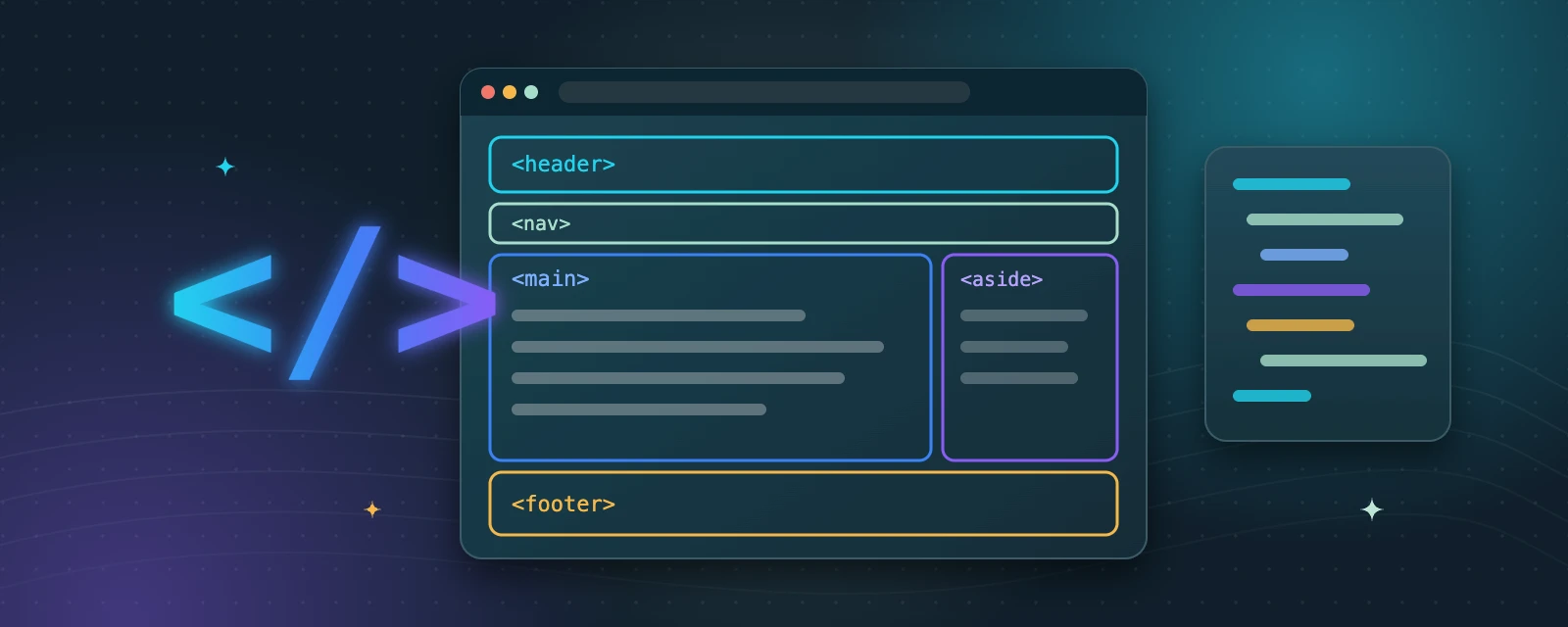
In this module you’ll learn the building blocks of an HTML5 page: semantic tags such as header, nav, main, article, section, aside and footer, and why they matter for accessibility and SEO. Watch the linked video, then practice by converting a plain div-based layout into semantic HTML5 markup. For your self-paced practice, sketch a sample homepage and label its navigation, main content and footer. Compare your sketch with your HTML, then mark this lesson complete.
A div still has a job
Use div for styling-only wrappers when no semantic element fits the content.
Headings are a map
Use h1 to h6 in order to outline the page. Choose a heading level for its meaning, not its size.
article or section?
An article makes sense on its own, like a blog post. A section groups related content within a page.
Try it: go semantic
- Sketch a homepage and label its header, navigation, main content, sidebar and footer.
- Take a simple layout built only with div elements and rewrite it with semantic tags.
- Compare your sketch with your HTML: does every labelled area have a matching element?
Key takeaways
- Semantic tags such as header, nav, main, article, section, aside and footer describe what each part of a page is.
- Meaningful structure helps screen readers and search engines understand your page.
- Use one main element for the primary content of each page.
